

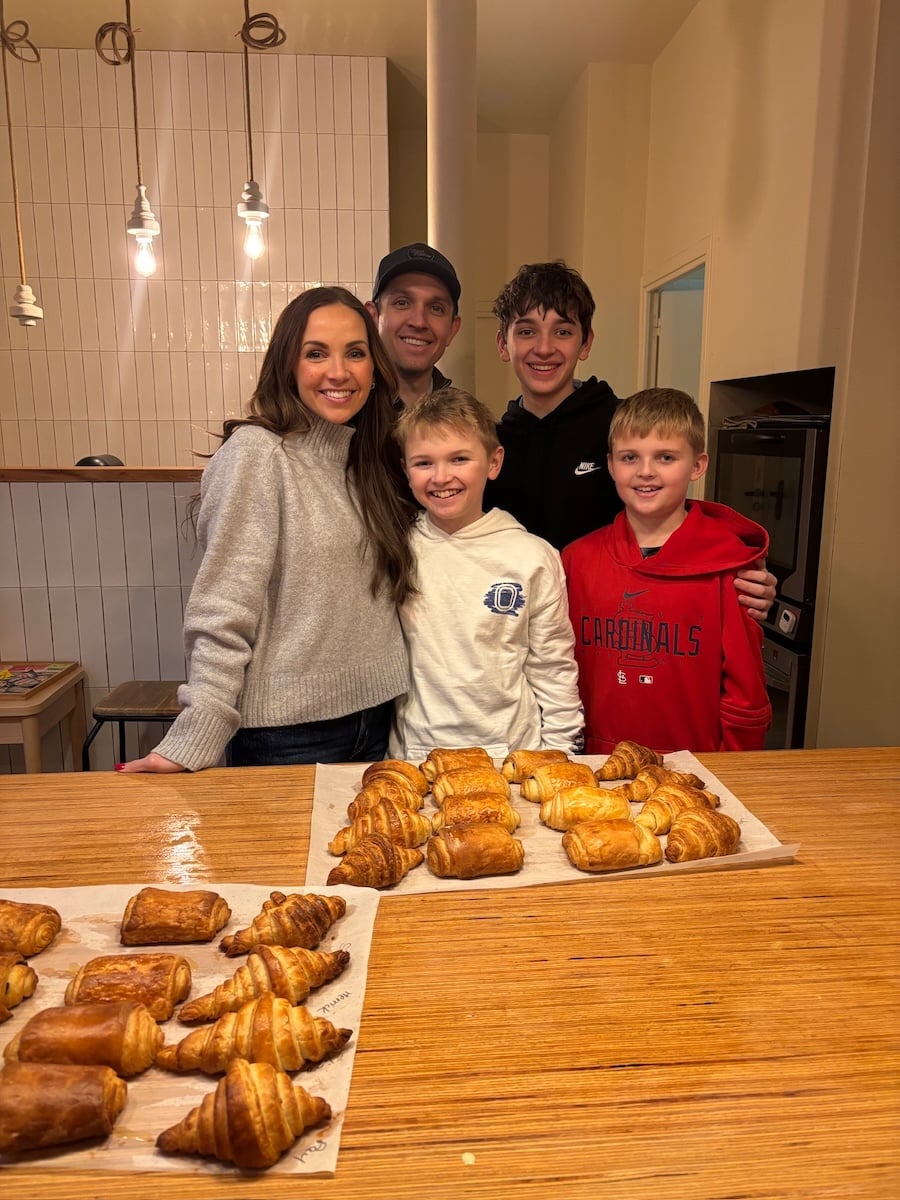
I’m a working mom with three boys at home this summer, and I used AI to build our entire summer system: rotating daily chores, a custom schedule, and a project earnings tracker. Here’s what I built and how you can do the same thing.
Summer is here and I have the usual mix of excitement and mild panic. I love summer! I also know that without a real system in place, someone will say “I’m bored” by 9am and I’ll struggle to get any work done.
This year I decided to get creative and use AI to help me organize and plan our summer schedule. It was helpful to just braindump my pain points, things that are set in stone like a daily weight training camp for one of my sons, specific rules and expectations, and then have AI help me come up with a schedule and a plan.
What we created is a total game changer. Here’s the full breakdown.
What You Need to Get Started
Claude AI is genuinely one of the best AI tools out there for complex, multi-step planning. You can use it free on the web, but for what I’m describing here you’ll want two things:
- Claude Pro ($20/month at claude.ai)
- The Claude desktop app downloaded to your computer
The desktop app has a feature called Cowork, which lets Claude build artifacts, which are live, interactive dashboards that update automatically. This is how our daily chore board refreshes itself every morning at 8am without me doing a thing.
The Daily Chore System That Runs Itself
I uploaded my household chore list (organized by how long each chore takes — quick, medium, and longer ones) and asked Claude to build a rotating daily chore assignment system. What it created is a live chore board in my Cowork sidebar that:
- Randomly assigns each kid a mix of quick and bigger chores every day
- Cycles through the entire list before repeating any chore
- Updates automatically at 8am every morning
- Is color-coded by difficulty so it’s easy to read at a glance
I open it every morning and put it on their daily checklist. I’m toggling between The Skylight Calendar, a daily printable checklist for their whole day, and just a handwritten note. They check it when they get up. Zero nagging required.
You can see the list of 50+ chores RIGHT HERE!
A Summer Schedule That Actually Works for Everyone
I gave Claude all the details — my workout class times, each kid’s morning activities, when I need uninterrupted work time, meal times, and my screen time rules — and it built a tabbed schedule artifact with a view for each person in our family plus a family overview.
For our family it came out like this:
- My work blocks are 9am–12:30pm and 1pm–3:30pm — exactly 6 hours. The afternoon block is completely protected while the kids are in project time.
- After morning activities, the kids eat a good breakfast, work through their morning routine (bed, dishwasher, chores, piano), and have screen-free time before our 12:30pm family lunch.
- Video games don’t unlock until 3:30pm.
- Dinner at 6pm, family time after.
I love that it built breathing room into the day instead of just stacking tasks. I thrive on time blocking, and that’s basically what it built.
The best part is that I told it my pain points and it gave suggestions based on my energy levels throughout the week, my kid’s schedules, work deadlines, and more. I was able to rearrange my weekly schedule into blocks to help me be more efficient and work smarter.
The Summer Project Earnings Tracker
This is my favorite piece of the whole system. I wanted each of my boys to have a big summer project tied to earning money.
Each of them have spent the last few weeks thinking of something big that they want to work on this summer. This could be whatever they wanted.
My sixteen year old wants to build a video game, my thirteen year old wants to write and draw a graphic novel, and my ten year old is going to do a series of smaller projects throughout the summer. His first is to build a birdhouse for our yard.
Claude built a four-phase earnings tracker for each kid based on 50 project sessions over the summer. Here’s how the phases work:
- Phase 1 — Plan & Launch: Define the project, make a plan, gather materials. Show Mom.
- Phase 2 — Building: Visible progress. Something to show for the sessions put in.
- Phase 3 — Deep Work: Major progress.
- Phase 4 — Finish & Present: My oldest two will probably not have their projects done by the end of the summer, but they can still present what they’ve accomplished.
Each phase has a payout (it’s a different amount of money for each of them based on their age), and before I hand over the money there’s a built-in Mom’s review and sign-off. It’s a check-in moment where they walk me through what they’ve done over the past few weeks. I love this part.
Claude generated printable PDF trackers for each kid with 50 numbered session checkboxes, phase banners with payout amounts, and my sign-off line at each milestone. Print, post, and check off as they go.
You can see an example RIGHT HERE!
The Daily Printable Checklist
The last thing Claude built is a one-page daily checklist for each kid that ties everything together — their schedule, standard morning chore checkboxes, three fill-in lines for their assigned chores from the board, a piano checkbox, a project session checkbox with a notes line, and three circles to track their video game hours. Everything they need to know for the day, on one page.
Each morning I write in their three chores from the chore board and they work through the list. I don’t have to remind them what’s next.
All of it is totally flexible, but building in rough time blocks helps keep all of us on track and gives them things to work on without needing me while I get in some dedicated work hours.
Also, we only use this for my three big work days during the week. The rest of the week is much more flexible and allows time for friends and swimming for hours, and going on outings together. I still want the summer to be FUN, but also I need to work. This is giving me that balance, I hope.
How to Build This for Your Family
The key to getting good results from Claude is being specific. Here’s how I’d approach it:
- Start with your chore list. Organize chores by time (quick/medium/longer), upload the document, and ask for a rotating daily assignment system. You can see our list of ideas RIGHT HERE.
- Build the schedule. Share your work days, each kid’s activities, screen time rules, and meal times. Ask for a tabbed artifact with one tab per person.
- Set up the project tracker. Tell Claude how many kids you have, what you’d like each to potentially earn, and ask for a four-phase system with 50 sessions and mom’s sign-off lines. Ask for printable PDFs.
- Ask for the daily checklist. One page per kid, in their own color, combining the schedule and all the check-off items.
The whole thing took me about an hour in one sitting. Claude asked smart clarifying questions along the way and honestly thought through things I hadn’t even considered yet.
One note on the chore board: for the 8am auto-update to work, the Cowork desktop app needs to be open when the task runs. I just make sure it’s open in the morning and it takes care of the rest.
My Honest Take
I was skeptical. I use AI for my business everyday, but hadn’t used it for our personal lives up til now. But I gave it a try, and I loved that Claude asked questions as it built, and was able to make any revisions based on my feedback. It took what I could have made myself and made it simpler, more efficient, and honestly better.
If you’re a working mom (or not!) heading into summer trying to hold the schedule, the chores, the screen time, and your sanity together all at once, I really think this is worth trying.
Are you using AI to help plan your summer? I’d love to hear about it in the comments!




Yes! I’ve been using AI to organize my schedule, create Geometry Dash checklists, and break big projects into manageable steps. It’s been a huge help for staying productive this summer.
If my mom made something like this, I’d probably like the project tracker the most. @geometry dash scratch
Good! Share your work days, each kid’s activities, screen time rules, and meal times. Ask for a tabbed artifact with one tab per person.
Having a broken appliance can really disrupt your daily routine. If you’re dealing with a malfunctioning washer, dryer, refrigerator, or any other household unit, don’t stress — professional help is just around the corner. For reliable and affordable appliance repair Pensacola FL, check out this trusted local service: https://850appliancecare.com/ — they deliver fast diagnostics and lasting repairs you can count on. Highly recommend reaching out before spending money on a replacement!
Using AI to plan summer activities is smart — I had my kids describe their ideas and used Transcriptly to turn the voice notes into a printable list.
drift boss is an easy-to-play but demanding drifting game for brief gaming sessions or personal bests. The one-button control mechanism is easy to grasp, but perfect drift timing and control through increasingly difficult turns will have you coming back. How far can you drift without sliding off the platform?
Such a clever way to use AI for summer planning! I especially liked the idea of balancing outings with simple at-home activities. We’ve added a little Geometry Dash time to our rainy-day list too—it keeps everyone entertained without needing another complicated plan.
Your article is both incredibly engaging and extremely beneficial. I am in search of a post of that nature retro games.
Great post! I love how you’ve explored the intersection of humor and technology. For anyone looking to experiment with AI video creation, I’ve been using this tool and it’s been surprisingly fun to play around with different styles.
I also found this Kling Motion AI tool really helpful.
I also found Make AI Video AI really helpful.
Great tips on building better study habits! I also found the Banana Nano tool really helpful for staying organized.
I also found image-to-3d.org really helpful.
One note on the chore board: for the 8am auto-update to work, the Cowork desktop app needs to be open when the task runs. I just make sure it’s open in the morning and it takes care of the rest.
I also found the Hy 3D tool really helpful.
Transform a boring outfit with these 3 easy tips! Add retro games-inspired accessories for a fun twist that brings nostalgia to your style!
I love how practical this approach is! Using Claude in Chrome for summer planning can make organizing activities and ideas much easier for busy parents.
This is such a smart way to keep summer from turning into chaos — the rotating chores + project earnings tracker sound like a lifesaver. I could totally see something like this working for older kids too, even for stuff like setting aside project time the way people plan a mega man x regenesis playthrough schedule.
What a clever way to use AI beyond the usual brainstorming — the rotating chore board that refreshes itself at 8am and cycles through the full chore list before repeating is especially smart. I also like that you emphasized braindumping pain points and constraints first; that’s really the key to getting useful output from any AI planning tool, whether it’s scheduling or even creative projects like using an AI tattoo generator to sketch out design ideas before committing (AI tattoo generator ). The project earnings tracker sounds like a great motivator for the kids too — hope the video game build goes well!
The project tracker is a smart addition—giving kids a clear way to see chores, goals, and earnings makes the summer plan feel manageable rather than overwhelming. I especially like the idea of pairing a predictable routine with room for projects they choose themselves.
This is such a smart way to handle the summer chaos! Using AI for the initial braindump is a lifesaver. I always struggle with keeping the kids accountable to their daily tasks, so having a structured system like this is key. It reminds me of how clear expectations work in other areas too—like how the hingesignals badge shows who is actually willing to follow through. Definitely going to try setting up a tracker like this!
SnapGen is a customer portal for AI media generation: authentication, payments, API-key management, model discovery, and a playground backed by the SnapGen gateway.
Vidrush is a free-to-start AI video suite for image-to-video, text-to-video, multi-model generation, scripts, voiceovers, captions, and viral templates. Creators can go from prompt or image to a social-ready clip in minutes.
Viewmax is an AI video editing suite for viral templates, explainers, podcast clips, story videos, and social-ready exports.
OmniEditor is a focused AI editing app for image and media cleanup workflows — sharpen, upscale, restore, and clean up images and video in one lightweight workspace.
GPTImagine 2.5 is an AI image generator and editor for text-to-image, edits, and text-in-image workflows. https://gptimagine2-5.com/
GetDesignMD builds a design-system markdown file from any URL so AI coding agents can match existing colors, type, and UI tokens.
Image to Layers AI looks useful for creative projects: it turns flat images into editable transparent PNG/PSD layers with AI, making it easier to prepare visual materials without manual masking. https://imagetolayers.org/
I like the idea of using AI for summer planning rather than for generating more clutter. The part I still do by hand is updating last year’s camp flyers and activity calendars: the photos are fine, the dates and headlines are not. A text-in-image editor is the missing piece next to a planning assistant — keep the artwork, change the week.
Summer planning with kids is mostly visual: outfits, rooms, a poster on the fridge. The part that used to take an evening in a canvas app is a constrained edit now — keep the face, change the clothes or the background.
I keep a prompt library for those edits and run them in Soutine so the still stays next to the result. It is not a lesson plan. It is how you get a usable picture without opening Photoshop at 9pm.
Dumping the constraints first is the part that actually works. I do a similar pass before a profile grid: crop so faces are not on the seams, export numbered tiles, then post in the order Instagram needs so the newest tile lands top-left. The plan is the whole job.
This is a thoughtful way to use AI for a smoother family routine. For anyone exploring music with the same kind of personalized discovery, Trackmatch finds similar songs by sound, mood, groove, and context across Spotify, Apple Music, and YouTube Music.
This resonates – using AI as a planning scaffold rather than a magic answer matches my experience. I build an AI virtual try-on tool, and the pattern is the same: the model handles the first draft and you keep the judgment. The specific prompts you used for the schedule are the genuinely useful part here.
I like the idea of practical AI workflows for family projects. For image projects, Image Layer Separator can split JPG, PNG, or WebP files into transparent PNG layers and a layered PSD for Photoshop or Figma.
Your daily checklist and 50-session tracker make the AI planning feel practical. The birdhouse project sparked one extra screen-free idea: photograph each finished project and turn it into a simple outline for the kids to color and add to a summer project journal. I build AI Coloring Studio, which creates printable coloring pages from photos or text prompts: https://aicoloringpage.art/. This could be a fun companion to the trackers for younger kids. Thanks for sharing the actual setup!
Using AI for the whole summer plan is a genuinely practical case. I work on image generation tooling, and the step people underestimate is the reference pass: one good reference image plus a short prompt gets much closer than a long prompt alone. The project tracker idea is worth stealing.
Such a helpful post — I love that you actually tested AI for summer planning with the kids instead of just listing tools. The routine chart idea is going straight into our July calendar. I have also been building Music3AI, which turns lyrics into full songs, and it has become a fun rainy-day activity for our family. Thanks for sharing your picks!
The rotating chore board that refreshes at 8am and cycles through the whole list before repeating is the part I’d actually use, since my kids stop arguing once the assignment isn’t coming from me. I’m curious whether the 6-hour work block held up once video games unlocked at 3:30, or if project time needed tweaking after the first week. I’ve been poking around ytbench to see how other family channels structure their summer content, though that’s a separate rabbit hole from the schedule itself.
Experiment with new visual styles using this AI art generator.
Stealing the phase structure here – tying each payout to something visible is the part that actually keeps kids honest, and 50 sessions is a realistic target instead of a vague summer-long goal. I run the same idea on my own work blocks: I use free YouTube timestamps to turn long recordings into clickable chapters, so a session has a clear start and finish instead of just working on it. The 8am auto-refresh on the chore board is the detail that makes the whole system run without you.
Love the chore rotation idea — my biggest summer struggle is exactly that “mom, I already did my chore” argument, so the color-coded difficulty system with random assignment is genius. I’ve been doing something similar with AI for screen time rules, though honestly the harder part for me was wrangling all the video content my kids want to rewatch offline; I ended up using a video downloader extension to save their shows before the no-screens-after-3:30pm rule kicks in. The 12:30 family lunch anchor is a smart touch too — having one fixed point in the day seems to be what keeps systems like this from falling apart by week two.
The separate session checkboxes and your review at each milestone are a useful distinction: time spent and a finished deliverable are not the same thing. For the graphic-novel project, one small addition could be a dated reference sheet for each character, plus a note about what changed at each review. That gives the child something concrete to present even if the whole book is unfinished. I would keep their own drawings as the reference and label any AI experiments separately. Disclosure: I develop RetroPrompt, a retro portrait tool; this is a suggestion about organizing visual work, not a claim that our tool creates graphic novels or that I have tested your tracker.
The idea of combining a rotating chore board with a project earnings tracker is especially practical—it gives kids both consistent responsibilities and a visible connection between effort and rewards. I also like that the schedule starts with a brain dump of fixed commitments, such as weight training camp. How flexible is the system when plans change midweek?
Fun ideas for summer planning with kids. I’ve been mocking up short read-aloud scripts with GeminiTTS when I want a quick voice draft before recording myself.
This is such a smart way to use AI! I have been leaning on it for meal planning and activity schedules too — the trick is giving really specific prompts about ages and attention spans. We have also been experimenting with decision-model tools like the Liquid d1 model for splitting chores and picking activities fairly between the kids (surprisingly effective sibling-dispute reducer). Do you save your best prompts anywhere for reuse next summer?
The combination of a flexible schedule and a visible project tracker makes this feel much more workable than a rigid summer plan. I also like having a simple research starting point for unexpected finds—Antique Identifier is useful when an old object turns up during a family project. Thanks for sharing the process.
EveryGen AI is an AI video and image generator. Creators turn text, photos, and existing footage into new content with leading AI models, all in one creative workspace.
Thanks for this — the detail about using AI for summer planning without losing the parts of the day that matter is exactly the kind of thing that is hard to find written down. I ended up going down this rabbit hole after noticing how many good recipes never leave a notebook. I keep notes on turning recipe collections into printable books at Cook Press if it is useful to anyone here.
The project tracker is the part that would have saved us — we tried the schedule-only version one summer and it fell apart by week two. Curious whether you kept the chore rotation going once school started again. I work on SmartRecall, an AI flashcard app that turns any text into spaced-repetition cards, so this kind of ‘make the plan actually stick’ problem is very much my thing.
Thanks for laying this out — the bit about how i used ai to plan is the part most people skip past. I build VoxForge, which turns an ebook into a multi-voice audiobook with a distinct voice per character, so this is exactly the problem space I live in. Helpful read.
undefined
The 8am auto-refresh is clever, but the randomness is what I’d question. If each kid gets a random mix every morning, how do you keep it fair when one draws the longer chores three days running and another keeps getting the quick ones? I’d want it tracking cumulative minutes per kid and evening that out by Friday rather than trusting random to balance itself.
The session checkboxes and four milestones give the video-game project a useful shape. A small word ladder could start with a few concrete checks: each move changes one letter, every step is a valid word, then add an optional hint before the full answer. BOOK → BOOP → POOP is a two-move test case. Disclosure: I maintain Poople Answers, a free, no-account word-ladder companion with shortest paths and separate hint reveals. It provides a small working example of those rules, with POOP as the fixed four-letter finish.
For the video-game project, “Finish & Present” can be a playable demonstration rather than a large finished game. A music quiz makes a clear first demo: listen to a short clip, choose an answer, see the result, then play another round. A simple presentation checklist could ask whether a newcomer can start without help and what happens if audio fails. Disclosure: I work on Guess Song Game, the browser music quiz linked in my name; I’m sharing it as an example of a small, understandable game loop.
I love the idea of turning a long summer into a simple, visual plan for kids. The combination of chores, a weekly schedule, and a project tracker makes the plan feel practical without taking away the fun. For anyone who wants to turn ideas into polished visual and audio projects while planning, Instinct AI is worth a look.
I like that this system starts with real constraints—chore length, work blocks, activities, screen-time rules, and a clear review point—rather than treating AI as a one-click solution. The four phases for each project and the printable checklists make the plan feel practical for kids and manageable for a working parent. For turning narrated planning tips or family project updates into visual content, AudioVideo is an interesting workflow to explore.
I like how the summer plan starts with real constraints—chores, work blocks, activities, and screen time—rather than treating AI as a one-click solution. The project tracker and printable checklists also make the ideas practical for kids and parents. For turning family project updates into short visual stories, ViduAI can create consistent videos from text, images, or references.
The “Mom’s review and sign-off” before each payout is my favorite detail. It turns the money into a reason for the boys to walk you through their work, not just a reward for logging sessions. Splitting 50 sessions into four phases also feels realistic for big projects like a video game or a graphic novel that won’t be finished by August, and letting them present progress instead of a finished product is a kind way to plan for that. Did Claude suggest the payout amounts per phase, or did you set those yourself?
Using AI to keep a summer chore list and project tracker is the part that usually slips once the week gets busy. I still want a short spoken note with the schedule instead of another app ping. Choicer Voicer is what I use when that reminder has to sound like a person.
The detail that the chore board cycles through the entire list before repeating a chore is clever, because it quietly ends the “I always get dishes” argument. I’d be tempted to add one allowed swap per day so the kids get a little say without the system falling apart.
Summer planning with AI is a nice reminder that a short prompt can replace a lot of busywork. For video, CloneCut Tool does AI remakes and character swaps so creators can restage a clip without filming it again. I have been using it for quick swaps: https://clonecut.app/
Using AI to sketch out summer chores, a daily schedule, and a project tracker for the kids is a smart way to cut the planning busywork while they still do the real projects. The printable checkboxes and milestone sign-offs are the part I would actually stick on the fridge. For pet photo keepsakes, I have been trying PawPortrait Lab free style previews before ordering HD: https://pawportraitlab.com/